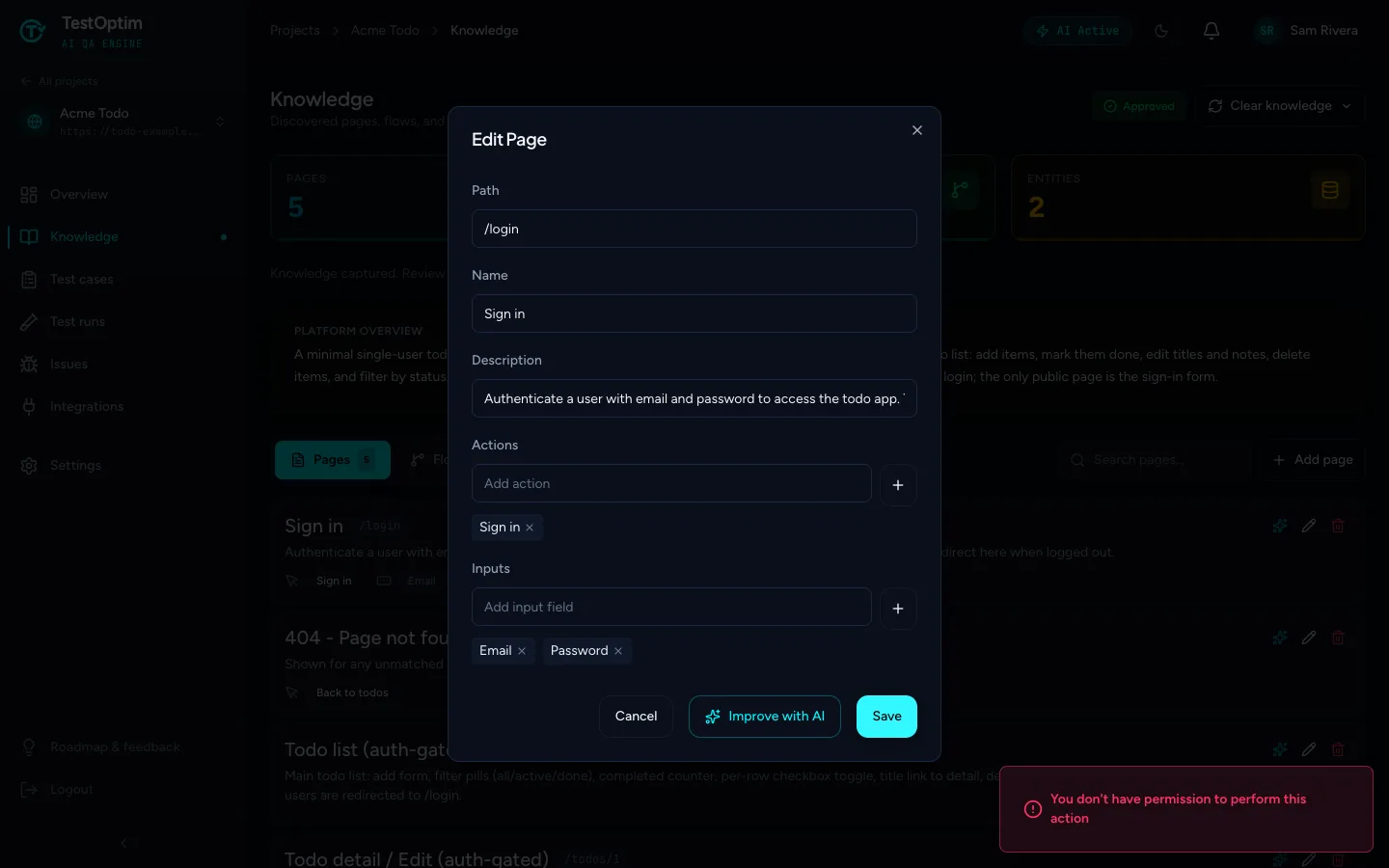
"You don't have permission to perform this action"
Which role you need for each action in TestOptim, why a button is missing or an action is refused, and what to do about stale-tab errors.
In this article
TestOptim shows You don't have permission to perform this action when your role is not allowed to do what you tried. Viewers are read-only, Developers work issues, QA Engineers run tests and generate test cases, QA Leads stop runs and archive projects, Admins manage people and projects, and only the Owner manages billing. The table has the details.
Which role do I need?
Roles from highest to lowest are Owner, Admin, QA Lead, QA Engineer, Developer and Viewer. "Admin and above" means Admin or Owner.
| Action | Minimum role |
|---|---|
| View projects, knowledge, test cases, runs and issues | Viewer |
| Change an issue's status, assign it, comment on it | Developer |
| Start exploration, edit knowledge, generate, create, edit, approve and exclude test cases, start test runs, use Re-test this fix | QA Engineer |
| Stop a test run, an exploration or generation, enter a one-time code during exploration, delete test cases, edit or archive a project | QA Lead |
| Create a project, manage credentials, invite or remove team members, change roles, manage integrations | Admin |
| Change plan, cancel, buy top-ups | Owner |
Note
Billing is Owner-only, even for Admins.
For the full list, see Roles and permissions.
What it looks like
Some buttons stay visible even if your role cannot use them. For example, a Viewer can open Edit Page on the Knowledge page, but selecting Save is refused.
On Billing, anyone who is not the Owner sees a restricted page.

What to do
Ask an Owner or Admin to change your role in Team, or ask them to do the action. See Change a member's role or remove them.
Other errors that look similar
If you see Organization ID is required, Invalid Organization ID format, Organization not found or Invalid or missing CSRF token, the page is out of date, not your role. This usually happens after you switch accounts or leave a tab open for a long time. Organization not found also appears if you were removed from the organization.
- Reload the page.
- If it persists, sign out and sign back in.
- Close other TestOptim tabs that belong to a different account.
Related
Keep reading
- Team & rolesInvite teammates to your organizationInvite people to your TestOptim organization by email, pick their role, and manage pending invitations. Covers seats, 7-day expiry and common errors.
- Team & rolesRoles and permissions: who can do whatSee what each TestOptim role can do, which screens are Owner-only, and why a button that looks available can still say you don't have permission.
- Team & rolesAccept an invitation to join a teamJoin a teammate's TestOptim organization from your invitation email, whether you are new or already have an account, and fix the common errors.
- Team & rolesChange a member's role or remove themPromote, demote or remove a teammate from the TestOptim Team page, including other Admins, and learn which rows you can't change and how to free a seat.