"Already in progress for this project" error
TestOptim runs one job per project at a time. See what "already in progress for this project" means, which jobs block each other, and how to proceed.
In this article
TestOptim shows "is already in progress for this project" because a project runs one job at a time, and another job on the same project has not finished. Wait for it to finish (or stop it), then start yours again.
What does the message say?
The wording depends on the job that is already running:
<Job> is already in progress for this project. Please wait for it to finish before starting another.
Examples you may see: "Exploration is already in progress for this project", "A test run is already in progress for this project" and "Test case generation is already in progress for this project".
Which job is running?
The first words name the job that is already running, not the one you just tried to start.
| Message starts with | The running job |
|---|---|
| Exploration | An exploration of your app |
| Test case generation | Generating test cases |
| A test run | A test run |
| Issue re-verification | Re-testing an issue you marked fixed |
| Knowledge refinement | An Improve with AI request on the knowledge base |
Jobs block each other. A test run blocks test generation and a new exploration, test generation blocks a test run, and so on. Selecting Start exploration while another exploration of the same project is running restarts it instead of showing this message. Jobs on different projects do not affect each other.
Where you will see it
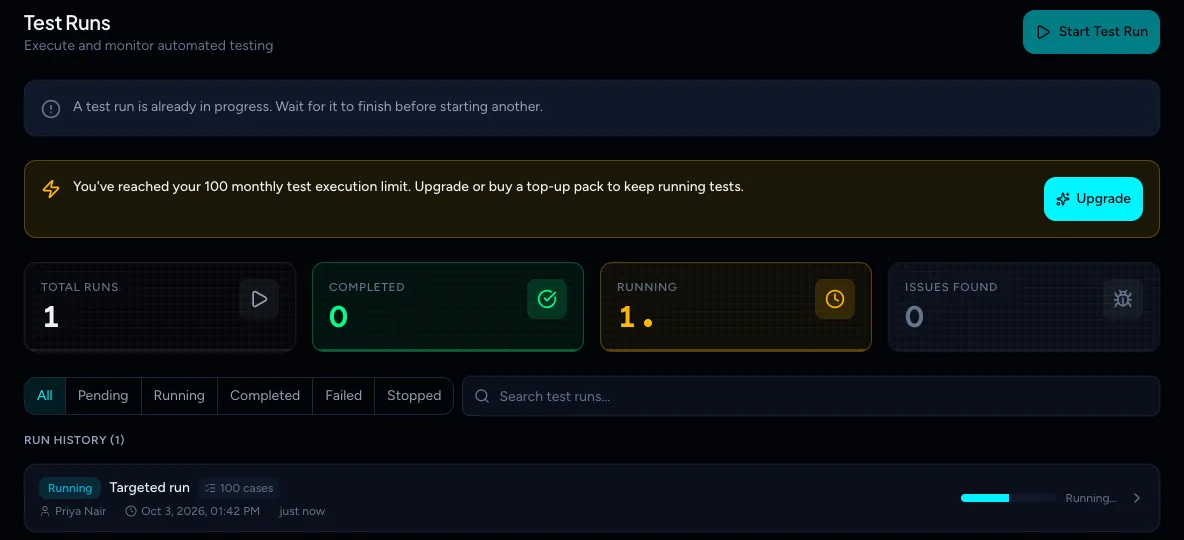
The Test runs page explains it before you click, but only for a running exploration or test run. While a run is active, a banner says "A test run is already in progress. Wait for it to finish before starting another." and Start Test Run is greyed out.
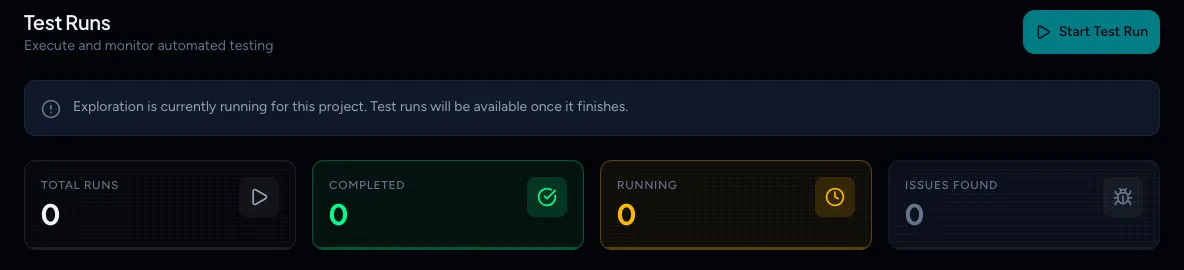
While an exploration is running, the banner reads "Exploration is currently running for this project. Test runs will be available once it finishes."
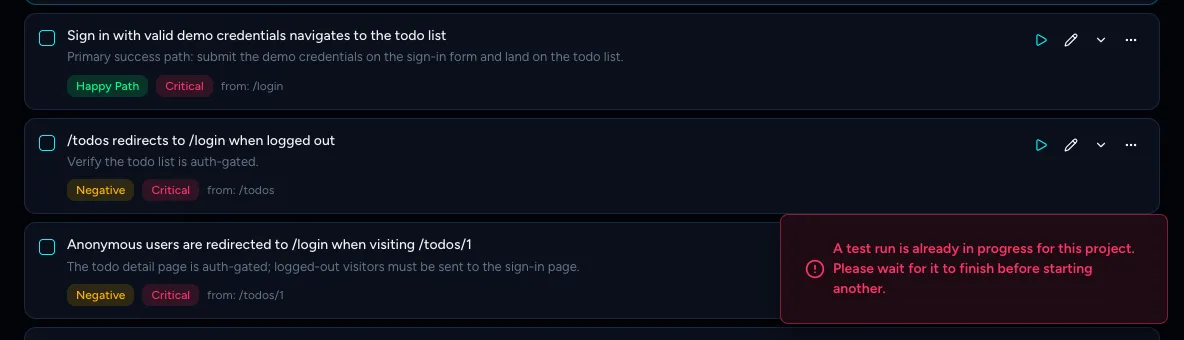
For other jobs, such as test generation, issue re-verification or knowledge refinement, the page shows no banner and the button stays active. The message appears as a notification when you click it. For example, selecting Regenerate on Test cases while a run is active shows "A test run is already in progress for this project. Please wait for it to finish before starting another."
What to do
- Find the running job. For a test run or exploration, open the project's Test runs or Knowledge page. For test generation, check Test cases. For issue re-verification, check the issue.
- Wait for it to finish. A test run on 100 cases can take several minutes, and an exploration can take longer on a larger app. TestOptim stops any job that runs past 30 minutes, so a project never stays blocked for long.
- Start your job again.
To end a running test early, open the run and select Stop Run. Stopping a run needs the QA Lead role or above. See You don't have permission.
If the message persists long after the job should have ended, contact support at hi@testoptim.com with the project name.
Related
Keep reading
- TroubleshootingCan't start exploration, test case generation or a test runWhy Generate Test Cases or Start Test Run is greyed out, or you see "archived project", "No knowledge base" or "No test cases found", and how to fix each.
- Getting startedHow TestOptim works: explore, generate, run, fixTestOptim tests your web app in five steps you start yourself. It explores your app, writes test cases, runs them, reports bugs and re-checks fixes.
- IssuesReview issues found by TestOptimSee where TestOptim issues come from, what severity and status mean, and how to filter, search and open an issue to read the steps to reproduce.
- Getting startedQuick start: find your first bugsGo from a new account to a list of real bugs in five steps. Create a project, explore your app, generate test cases, run a few tests and review the issues.