Start your free trial or choose a plan
After you verify your email, pick a plan. Solo starts with a 14-day free trial and no credit card. Startup and Growth are paid from the first day.
In this article
To start your TestOptim free trial, verify your email, then select Start Solo trial on the Choose your plan page. The 14-day Solo trial needs no credit card. There is no free tier: the trial is the only way to try TestOptim without paying.
Before you start
- You need a verified account. See Create your account and verify your email.
- Only the organization Owner can choose or change the plan. The person who creates the account is the Owner.
Is there a free plan?
No. The Solo trial is free for 14 days and needs no credit card, and after it you pay or lose access.
Do I need a credit card for the trial?
No. You don't enter a card to start the Solo trial, and nothing is charged.
Start the Solo trial
On the Choose your plan page, check the Monthly, Quarterly or Annual tab and the USD or INR switch. The Solo card shows a 14-DAY FREE TRIAL badge and the line "14 days free".
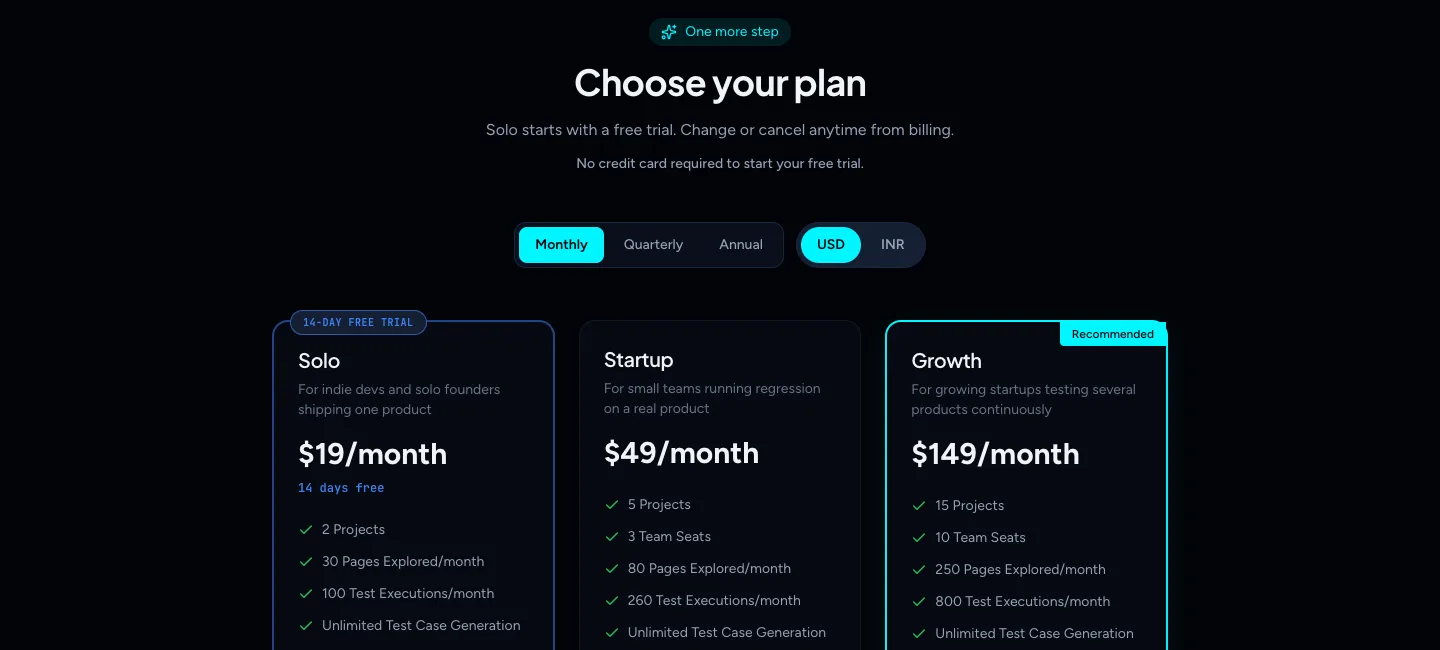
Choose your plan Select Start Solo trial.
A Solo is live dialog opens, labelled TRIAL ACTIVATED. Select Create a project to continue to the new project form.
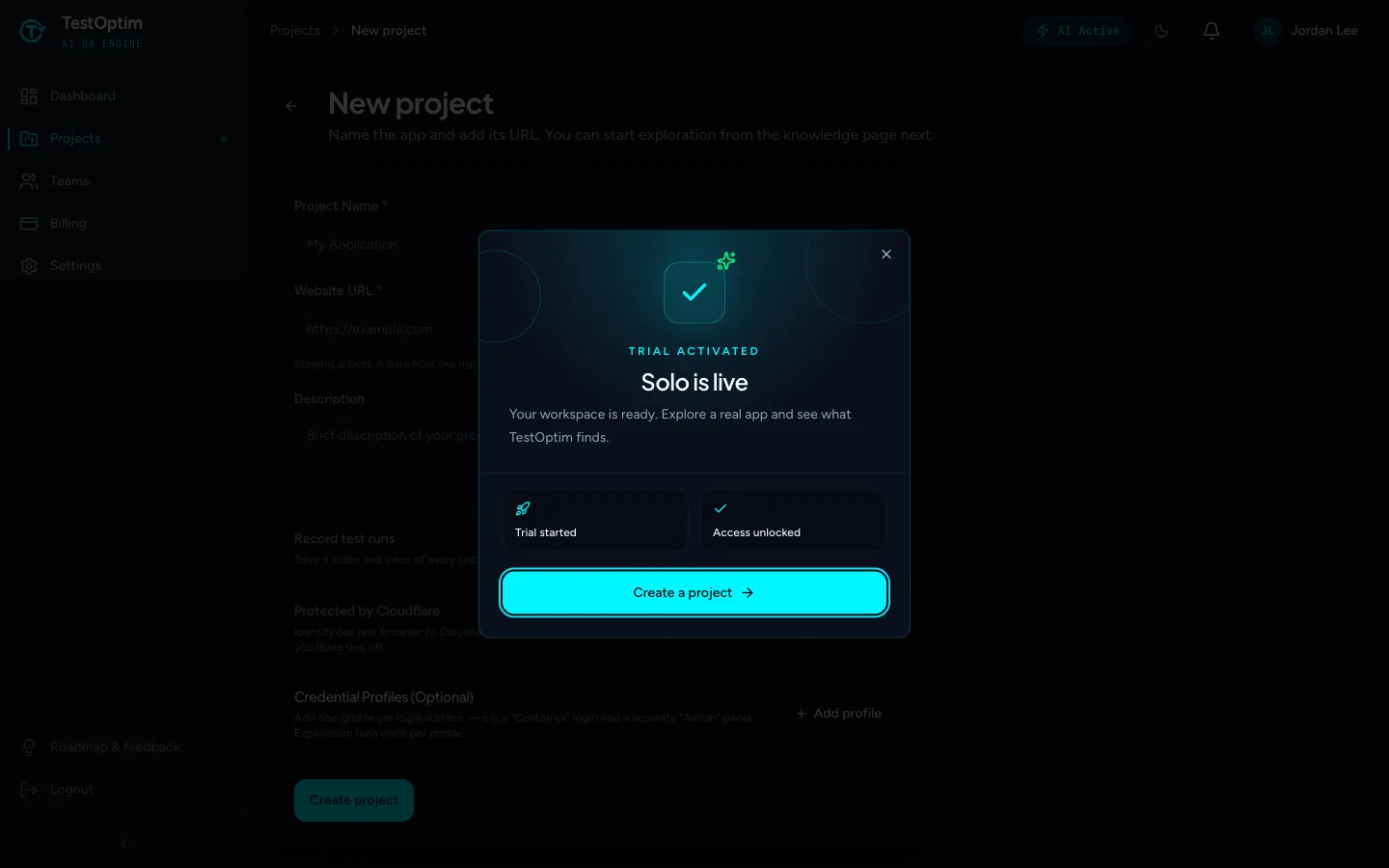
Your trial is active
That's all.
What the trial includes
The trial gives you the full Solo plan for 14 days. Solo includes 2 projects, 30 pages explored per month and 100 test executions per month. Startup includes 5 projects, 80 pages and 260 test executions a month, and Growth includes 15 projects, 250 pages and 800 test executions. See Compare plans and what each limit means for what each limit counts.
You can see the trial on the Billing page. It shows how many days are left and confirms that no card is required until then.
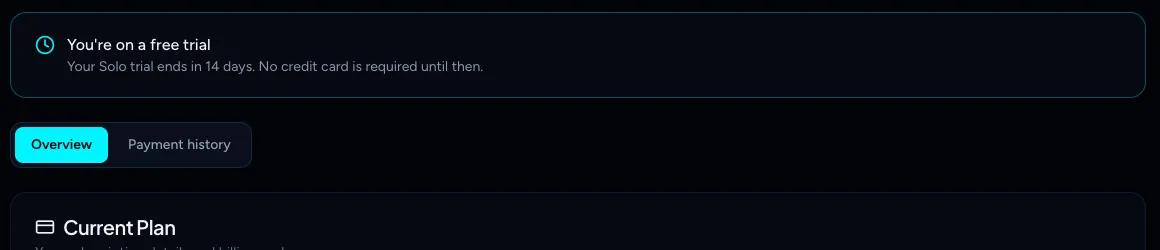
Note
Each organization can use the Solo trial once.
What happens when the trial ends
- About 3 days before the trial ends, TestOptim emails a reminder.
- When the trial ends, you get a 3-day grace period.
- After the grace period, the organization is locked. Product pages ask you to choose a plan, and you'll see "No active subscription" messages until you subscribe. See No active subscription.
To keep using TestOptim, subscribe from Billing before the trial ends. See Upgrade, downgrade or cancel your plan.
Warning
Cancelling during the trial ends your access immediately. The confirmation says "This ends access immediately".
Choose Startup or Growth instead
Startup and Growth have no trial. Select Choose Startup or Choose Growth and a secure Razorpay checkout opens, where you enter your payment details. You're charged when you confirm the payment.
- Switch between Monthly, Quarterly and Annual billing to see the price for each cycle. You choose the cycle here, at your first checkout.
- If your organization is a founding member, the plan page shows founding-member pricing of 40% off every plan.
- Switch between USD and INR. INR is for Indian cards, which can't pay in USD. The picker may start on INR depending on your location.
If you chose a plan on the pricing page before you signed up, TestOptim remembers it and takes you to that plan after sign-up.
Note
The checkout is hosted by Razorpay, and TestOptim never sees or stores your card details. If you close the checkout without paying, you aren't charged.
Related
Keep reading
- Plans & billingUpgrade, downgrade or cancel your TestOptim planSwitch TestOptim plans, cancel a free trial or a paid subscription, see what happens when a trial ends, and find invoices. Only the Owner can do this.
- Plans & billingCompare plans and what each limit meansSee what Solo, Startup and Growth include, how prices change by billing period, and exactly what counts toward projects, seats, pages explored and test executions.
- ProjectsCreate your first projectA project is one web app, identified by its URL. Add a name and URL, choose whether to record test runs, and TestOptim takes you to the Knowledge page.
- Exploration & knowledgeExplore your app to build the knowledge baseStart an AI exploration of your web app in TestOptim, follow its progress live and stop it if needed. The result is your knowledge base.