Compare plans and what each limit means
See what Solo, Startup and Growth include, how prices change by billing period, and exactly what counts toward projects, seats, pages explored and test executions.
In this article
Pick the plan that fits your team, and understand what each limit counts before you hit it.
The plans
Prices below are monthly, in USD. The plan picker also shows the same plans in INR.
| Solo | Startup | Growth | |
|---|---|---|---|
| Price per month | $19 | $49 | $149 |
| Projects | 2 | 5 | 15 |
| Team seats | Unlimited | 3 | 10 |
| Pages explored per month | 30 | 80 | 250 |
| Test executions per month | 100 | 260 | 800 |
| Test cases | Unlimited | Unlimited | Unlimited |
| Issues | Unlimited | Unlimited | Unlimited |
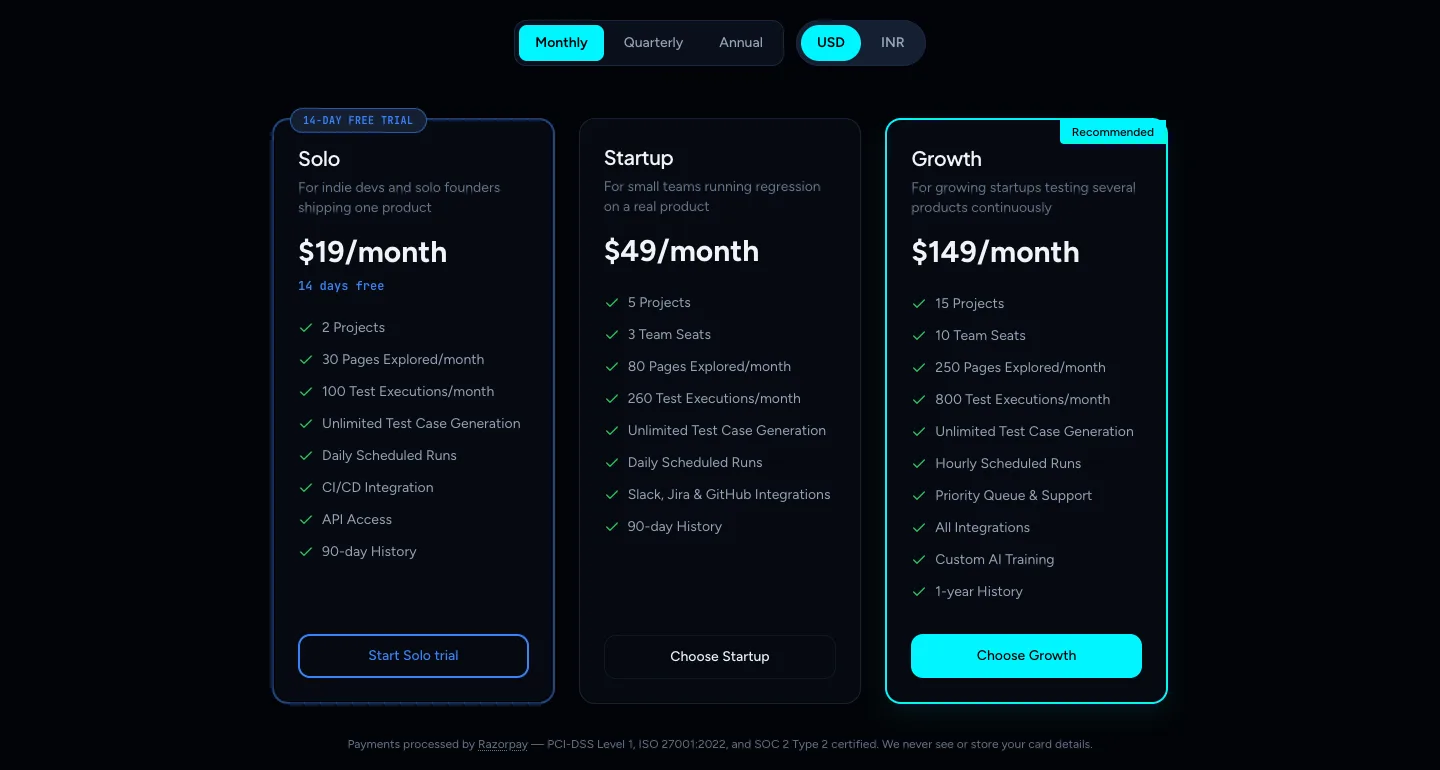
- Solo is the only plan with a free trial: 14 days, no credit card.
- Enterprise is not self-serve. It does not appear in the plan picker, so contact sales if you need custom volumes.
- Test case generation is unlimited on every plan, and integrations and API keys are available on every plan.
Note
The cards also list items such as scheduled runs, history length and priority support. Those are not usage limits. The limits that TestOptim enforces are the four in the table: projects, team seats, pages explored and test executions.
Billing periods and currency
Use the Monthly / Quarterly / Annual switch on the plan picker. Quarterly is 10% cheaper and annual is 20% cheaper than paying monthly.
| Solo | Startup | Growth | |
|---|---|---|---|
| Monthly | $19 | $49 | $149 |
| Quarterly (per quarter) | $51 | $132 | $402 |
| Annual (per year) | $182 | $470 | $1,430 |
Choose USD or INR with the currency switch. Cards issued in India must be charged in INR. In INR, Solo is ₹1,699, Startup ₹4,399 and Growth ₹12,999 per month.
Organizations that joined as founding members keep 40% off every plan.
What each limit counts
Projects. Every active project in your organization counts toward the limit. Archived projects do not stop you from creating a new one, but the Projects meter on Billing still counts them, so it can read 2 / 2 while you are free to create another.
Team seats. Every member counts, and so does the Owner. Pending invitations are checked when someone accepts. Solo has no seat limit.
Pages explored per month. A page is counted each time exploration visits it. Pages are counted when an exploration finishes. A page seen once while logged out and once while logged in counts twice. Re-exploring counts again.
Test executions per month. One execution is one test case run. When you start a run, TestOptim reserves that many executions and gives back the ones that were not used.
Pages and executions reset on the 1st of every calendar month, not on your billing date. Anything you bought as a top-up pack carries over. See Track your usage and buy top-up packs.
See your own plan
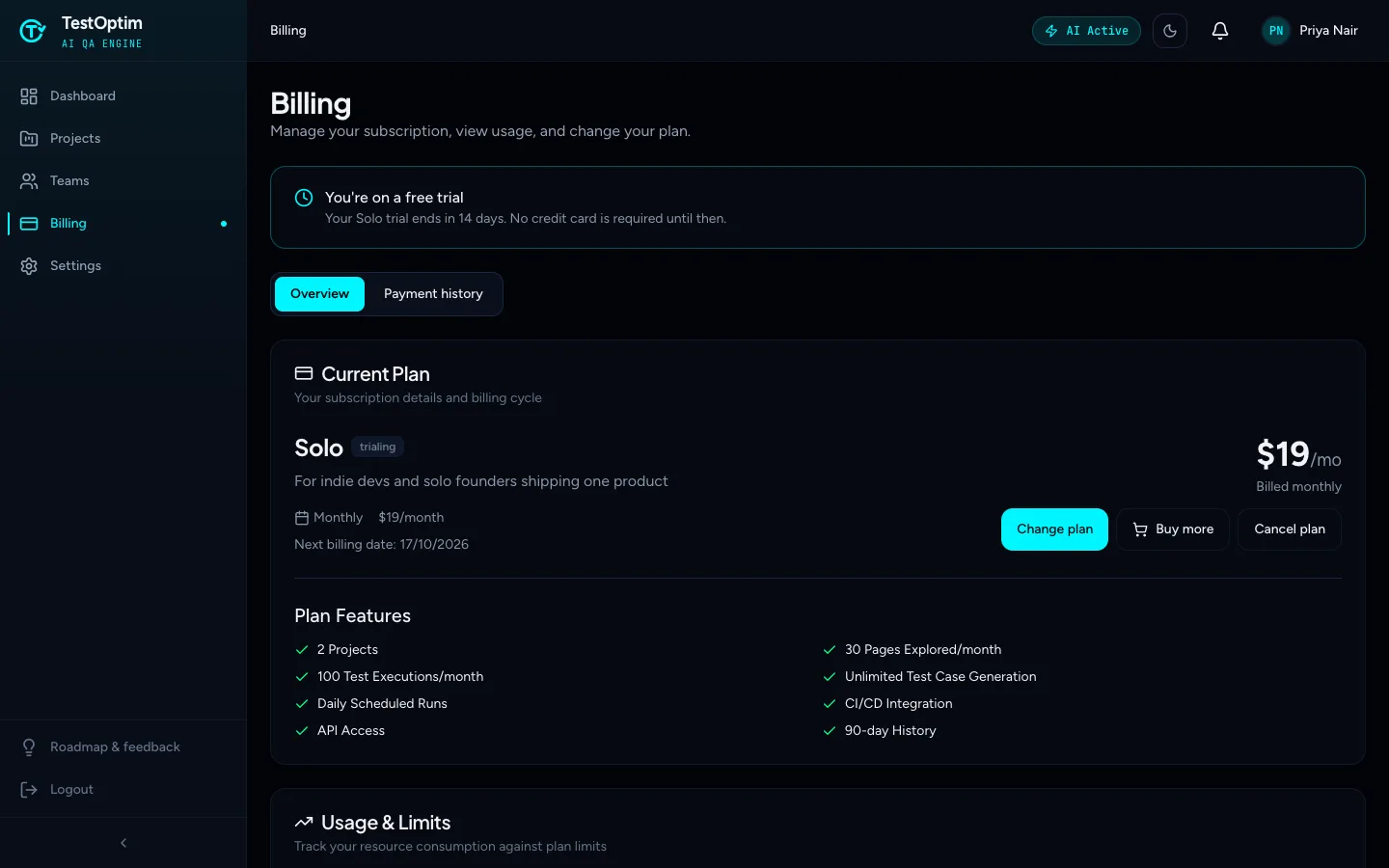
Open Billing in the sidebar. The Current Plan card shows your plan, price and billing cycle, and Usage & Limits shows how much you have used.
Note
Only the organization Owner can open Billing, change the plan or buy more. Everyone else sees "Only organization owners can manage billing."
Related
Keep reading
- Plans & billingTrack your TestOptim usage and buy top-up packsSee how many pages and test executions you have left this month, when they reset, and how to buy one-time top-up packs that never expire.
- Troubleshooting"You have reached your limit" in TestOptimWhat "You have reached your limit" means in TestOptim: which limit you hit (projects, seats, pages, executions), when it resets, and how to top up or upgrade.
- Plans & billingUpgrade, downgrade or cancel your TestOptim planSwitch TestOptim plans, cancel a free trial or a paid subscription, see what happens when a trial ends, and find invoices. Only the Owner can do this.
- Test runs & resultsRun your tests (all, selected or one) and stop a runStart a TestOptim test run for your whole suite, a selection or one test case, see how many executions it uses, and stop a run under way.