Track your TestOptim usage and buy top-up packs
See how many pages and test executions you have left this month, when they reset, and how to buy one-time top-up packs that never expire.
In this article
In TestOptim, open Billing > Usage & Limits to see how many pages and test executions you have used this month. Select Buy more to add a one-time top-up pack without changing plan.
Before you start
Only the organization Owner can open Billing and buy top-ups. Other members see "Only organization owners can manage billing." Top-ups add to a plan, so your organization needs a Solo trial or a paid plan first.
Check your usage
- Select Billing in the sidebar.
- Scroll to Usage & Limits.
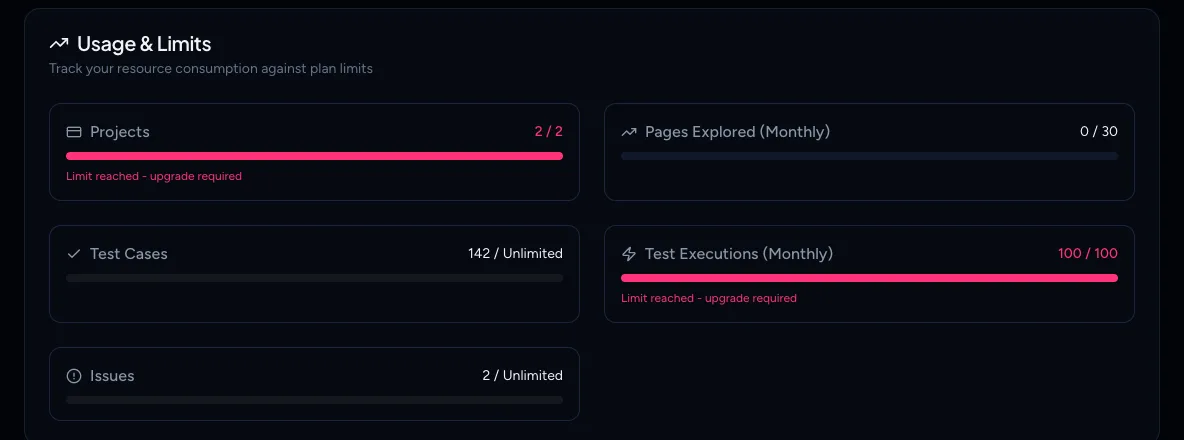
Each meter shows what you have used against your limit, for example 0 / 30 for Pages Explored (Monthly) or 4 / 100 for Test Executions (Monthly). Test cases and issues show Unlimited.
A meter changes as you get close to the limit:
- From 80%, the bar turns amber and shows Approaching limit - consider upgrading.
- At 100%, the bar turns red and shows Limit reached - upgrade required.
If you have bought top-ups, a Purchased balance box shows what you still have on top of your plan. The meter limits already include it.
When do my limits reset?
- Pages explored are counted when an exploration finishes. A page seen logged out and again logged in counts twice.
- Test executions are reserved when a run starts and unused ones are returned, so a stopped run does not use them all.
- Both reset on the 1st of the calendar month, not on your billing date. A plan that renews on the 17th still resets on the 1st.
- Projects are not monthly. The meter counts what you currently have. The meters cover projects, pages, test cases, test executions and issues; there is no team seats meter.
Note
Running low also shows up inside the app. The Test runs page displays a banner when you have used 80% or more of your executions, and another when you are at the limit.
Buy a top-up pack
Top-ups are one-time purchases. Do top-up pages and executions expire? No. Units you buy carry over from month to month.
- On Billing, select Buy more.
- Choose USD or INR. Cards issued in India must be charged in INR.
- Select Buy now on the pack you want.
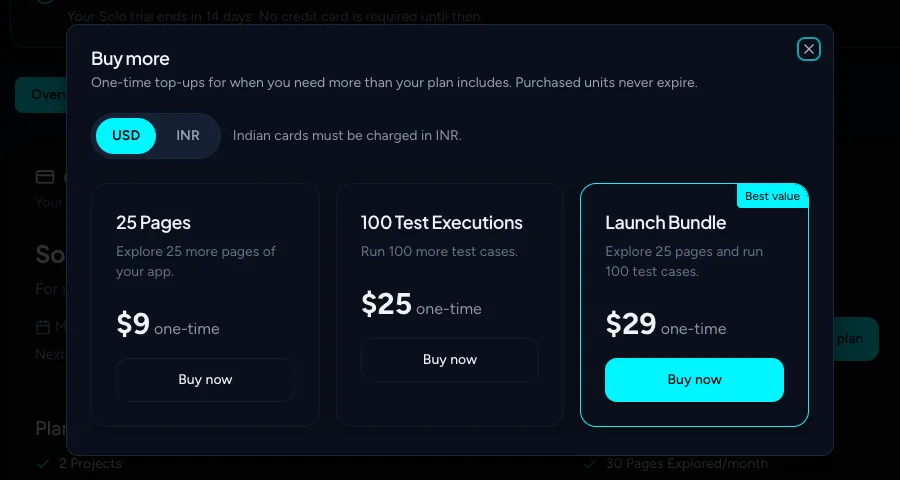
| Pack | USD | INR |
|---|---|---|
| 25 Pages | $9 | ₹799 |
| 100 Test Executions | $25 | ₹2,199 |
| Launch Bundle (25 pages and 100 executions) | $29 | ₹2,599 |
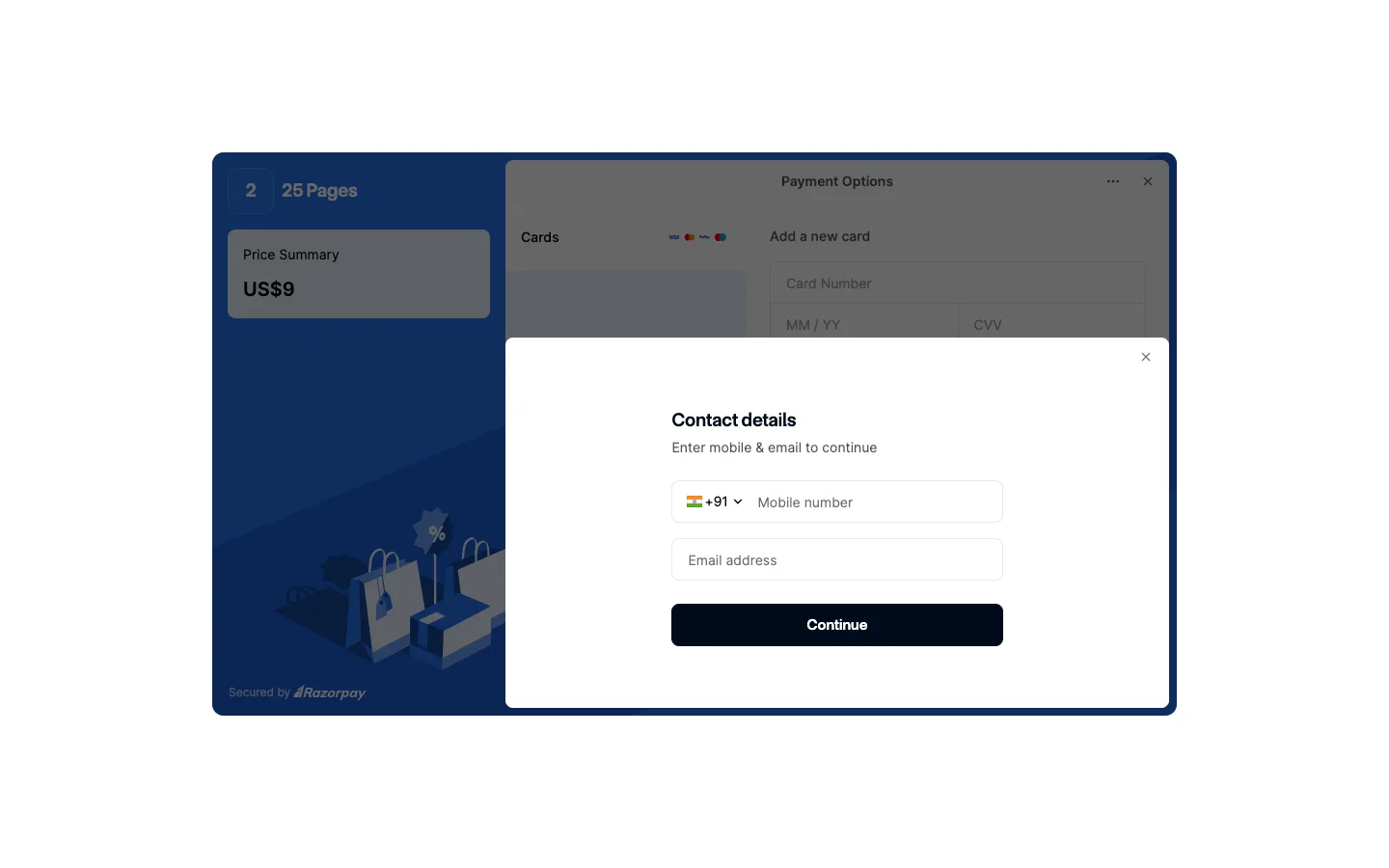
- The secure Razorpay payment window opens. Enter your contact details and pay there.
What happens next
When the payment succeeds, the pages or executions are added to your Purchased balance within about a minute and the meters include them. The purchase appears under Billing, Payment history, in Payment History. If nothing appears after a few minutes, email hi@testoptim.com.
If the payment window does not open or the payment fails, see Checkout or payment failed.
Related
Keep reading
- Plans & billingCompare plans and what each limit meansSee what Solo, Startup and Growth include, how prices change by billing period, and exactly what counts toward projects, seats, pages explored and test executions.
- Troubleshooting"You have reached your limit" in TestOptimWhat "You have reached your limit" means in TestOptim: which limit you hit (projects, seats, pages, executions), when it resets, and how to top up or upgrade.
- Plans & billingUpgrade, downgrade or cancel your TestOptim planSwitch TestOptim plans, cancel a free trial or a paid subscription, see what happens when a trial ends, and find invoices. Only the Owner can do this.
- Test runs & resultsRun your tests (all, selected or one) and stop a runStart a TestOptim test run for your whole suite, a selection or one test case, see how many executions it uses, and stop a run under way.