Upgrade, downgrade or cancel your TestOptim plan
Switch TestOptim plans, cancel a free trial or a paid subscription, see what happens when a trial ends, and find invoices. Only the Owner can do this.
In this article
Only the organization Owner can change or cancel a TestOptim plan: open Billing, then Change plan or Cancel plan. A paid cancellation keeps access until the period ends. A trial cancellation ends access immediately.
Before you start
Only the organization Owner can change or cancel a plan. Everyone else who opens Billing sees "Only organization owners can manage billing."

If TestOptim manages your plan manually, you won't see Cancel plan. Email hi@testoptim.com to change or cancel it.
Change your plan
- Select Billing in the sidebar.
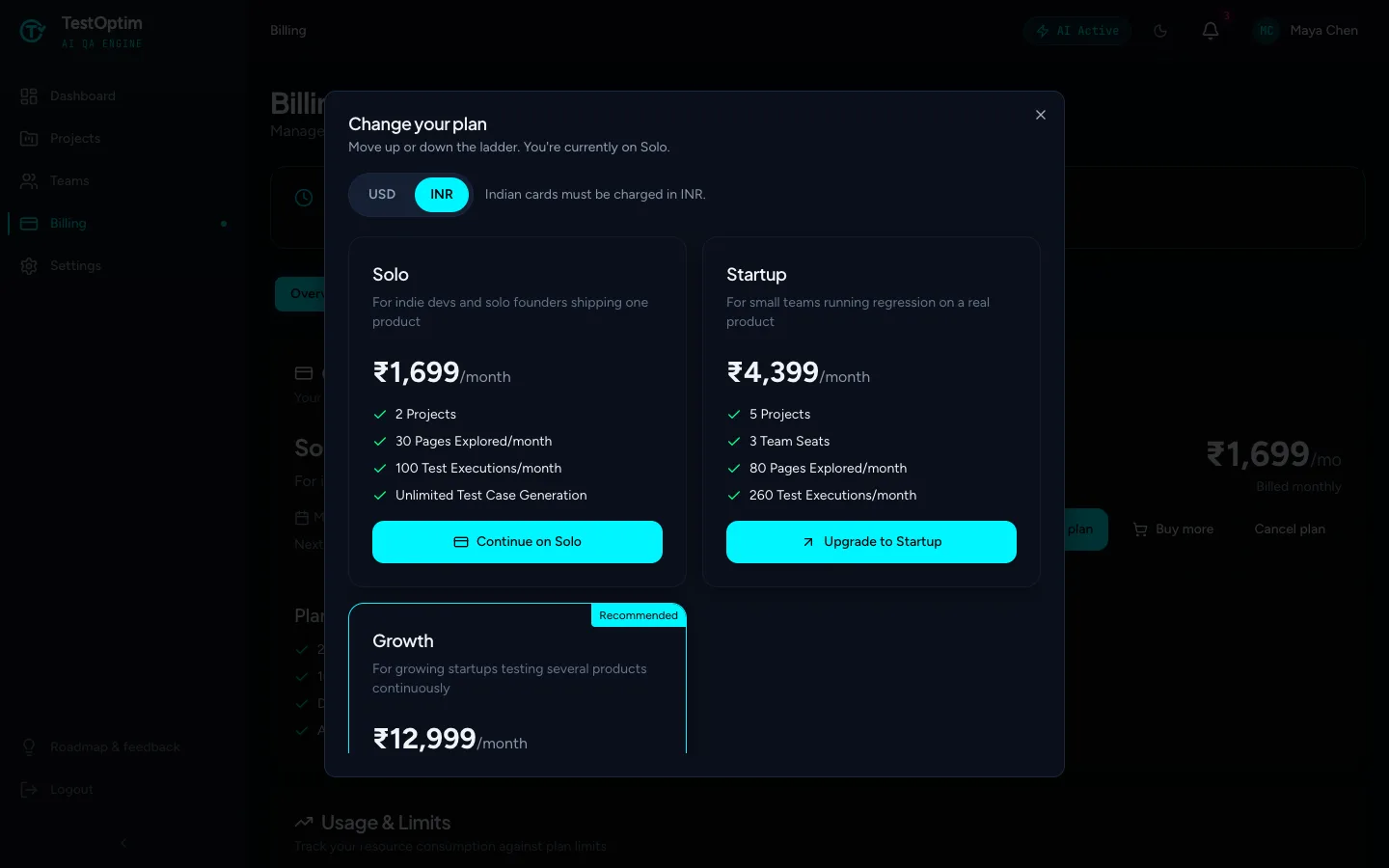
- Select Change plan.
- Choose USD or INR. Cards issued in India must be charged in INR.
- Select the plan you want. The buttons read Upgrade to Startup, Upgrade to Growth, Downgrade to … or Continue on Solo, depending on where you are now.
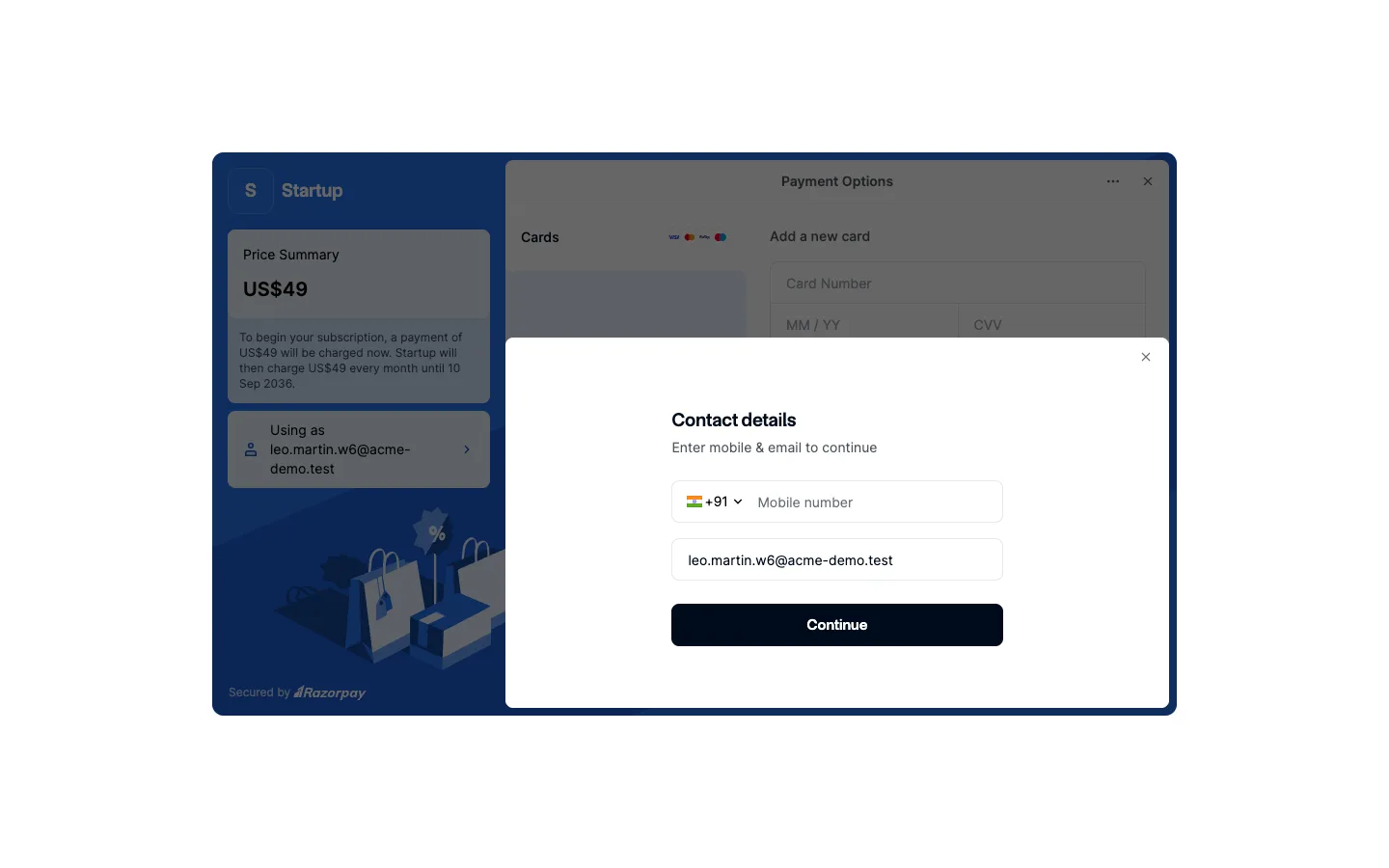
- For an upgrade, or a first paid plan, the secure Razorpay window opens. Complete the payment there. An upgrade applies straight away, and Razorpay prorates the current cycle.
A downgrade is scheduled for the end of your current cycle, and you see "You'll move to plan on date". Your current plan stays until then.
Change plan has no Monthly, Quarterly or Annual switch. You pick that on the Choose your plan page at first checkout. To move to a different billing period later, email hi@testoptim.com.
What happens when my trial ends?
If you don't choose a plan, the trial lapses and you get a 3-day grace period. After that, access is paused and Billing shows "Your trial has ended", then "Access paused". Select Change plan to continue on Solo. Your projects and results are kept. See No active subscription.
If you are on the free trial
A trial has no card on file, so choosing a plan, including Continue on Solo, starts a paid subscription through the same payment window. See Start your free trial or choose a plan.
If the payment window does not open, see Checkout or payment failed.
Cancel your plan
- On Billing, select Cancel plan. The button is hidden if the plan is already set to cancel.
- Read the Cancel your trial? or Cancel your subscription? confirmation, then select Confirm cancel. Select Back to keep your plan.
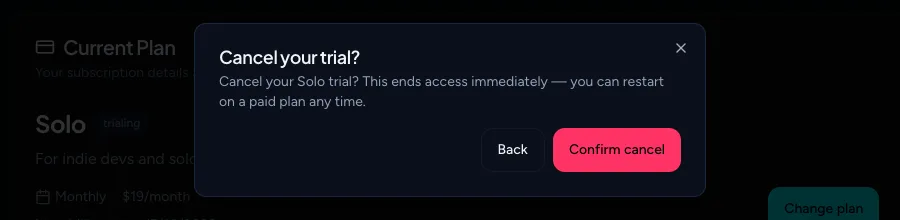
What the confirmation says depends on your plan:
- Free trial. "Cancel your Solo trial? This ends access immediately — you can restart on a paid plan any time." After you confirm, you see Trial canceled. and access ends right away.
- Paid plan. "Cancel your plan name subscription? You'll keep access until date." You keep access until the end of the period you already paid for, and Billing shows when it cancels.
After you cancel a trial, you are taken to Choose your plan. The same happens to every member of the organization until the Owner chooses a plan. On that page Solo now starts a paid checkout (the 14-day free trial is used once per organization). Your projects and results are kept. See No active subscription.
Will I get a refund?
This page doesn't promise one. Email hi@testoptim.com with your organization name if you think you were charged in error.
Can I cancel the free trial?
Yes. Use Cancel plan. A trial cancellation ends access immediately.
Invoices and payment history
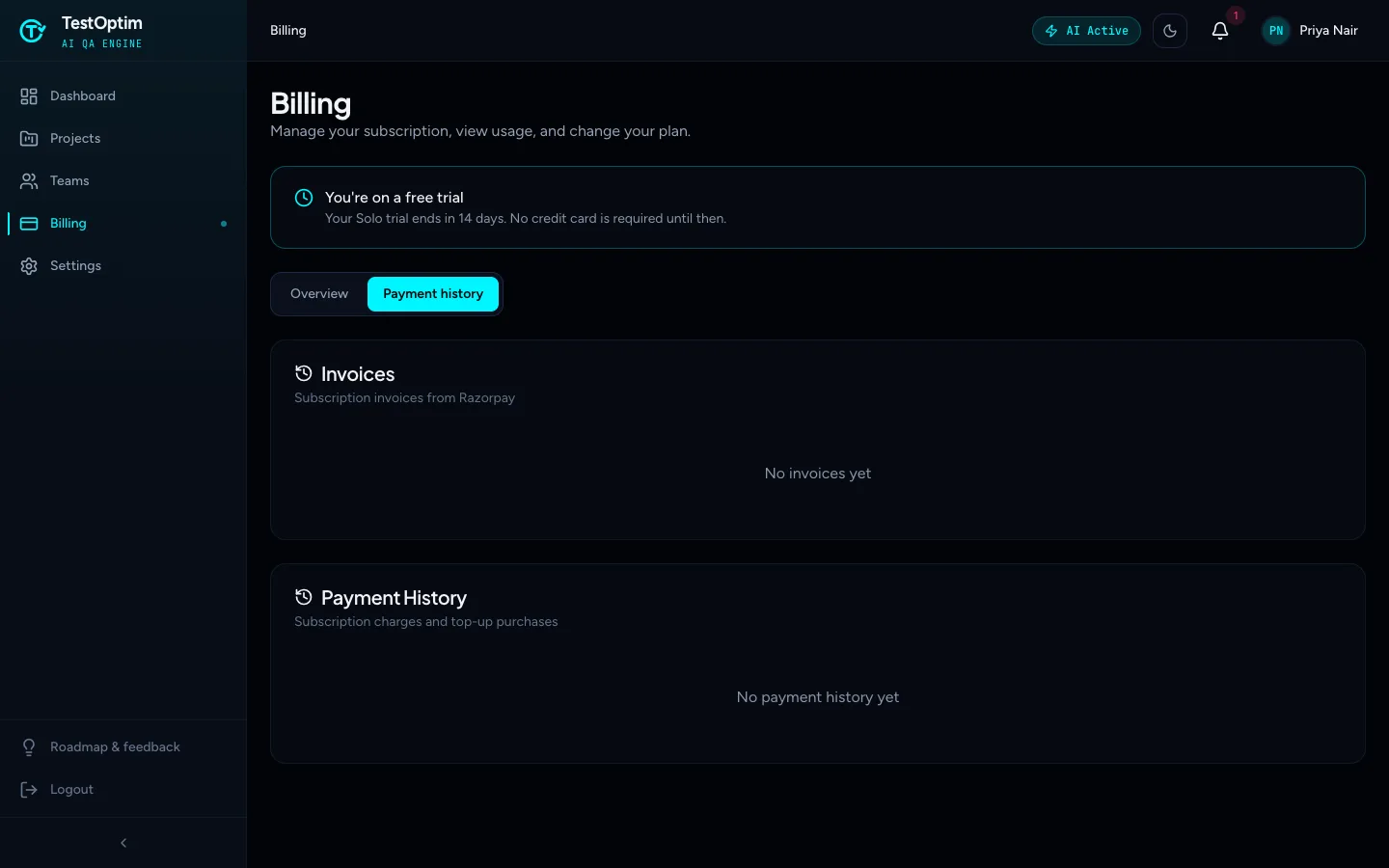
- On Billing, open the Payment history tab.
- Invoices lists subscription invoices from Razorpay, each with a link to view or download it.
- Payment History lists subscription charges and top-up purchases.
If a payment fails
If a renewal cannot be charged, the subscription is marked past due, we send an email, and access is paused until payment succeeds. See No active subscription.
Related
Keep reading
- Plans & billingCompare plans and what each limit meansSee what Solo, Startup and Growth include, how prices change by billing period, and exactly what counts toward projects, seats, pages explored and test executions.
- Troubleshooting"No active subscription" or "Subscription needs attention"Why TestOptim is locked, what "No active subscription" and "Subscription needs attention" mean, and how the organization Owner restores access. Your data is kept.
- Plans & billingTrack your TestOptim usage and buy top-up packsSee how many pages and test executions you have left this month, when they reset, and how to buy one-time top-up packs that never expire.
- Getting startedStart your free trial or choose a planAfter you verify your email, pick a plan. Solo starts with a 14-day free trial and no credit card. Startup and Growth are paid from the first day.