Review what exploration found: pages, flows and entities
What the Pages, Flows and Entities tabs on the Knowledge page mean, and how to tell if your knowledge base is good enough to generate test cases from.
In this article
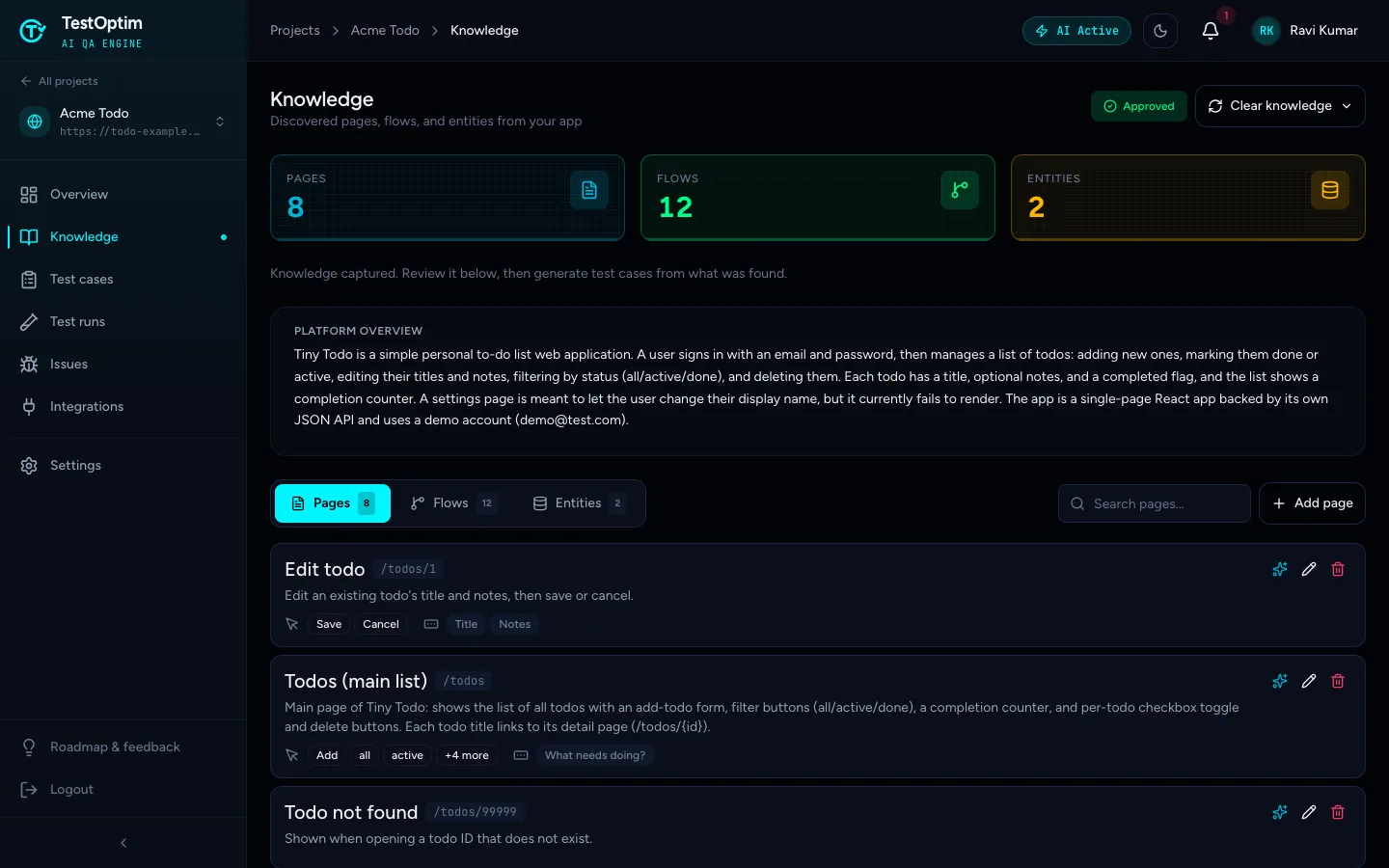
The Knowledge page lists what TestOptim's agent learned about your app: its pages (screens and their actions), flows (journeys such as signing in) and entities (business objects such as a Todo). Generated test cases are only as good as this list, so check it before you go on.
Open the knowledge base
- Open your project and click Knowledge in the sidebar.
- Check the counters at the top: Pages, Flows and Entities.
- Read the Platform overview paragraph under the counters. It is the agent's one-paragraph summary of what your app is for. If it describes the wrong product, the rest will be off too.
Note
The status badge reads Approved once exploration has finished. It does not mean someone reviewed anything. There is no approval step. See Explore your app.
Pages
The Pages tab lists every page the agent reached. Each card shows:
- the page name and its path, for example
/todos - a short description
- the actions it found, such as buttons and links (the first three are shown, then "+N more")
- the inputs it found, such as form fields
Click the pencil icon on a card to see everything stored for the page. Use the search box to find a page by name or path.
Pages that need a login are explored only if you gave the agent a credential profile. If a page you care about is missing, the agent either never found a link to it or could not sign in. See Add login credentials.
Flows
A flow is a journey through your app, such as "Add a new todo" or "Sign in". The Flows tab lists them with a step count and an Outcome, the result the agent saw. Click a flow to expand its numbered steps.
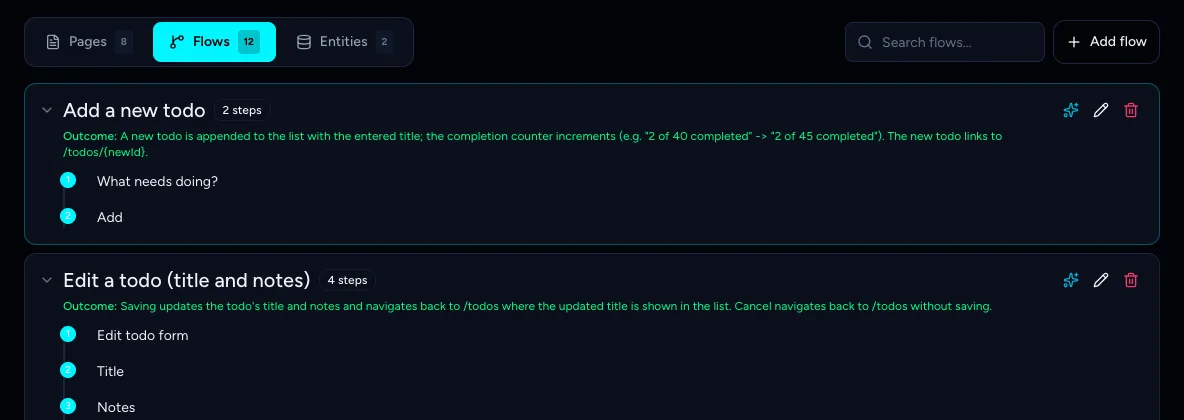
Flows are what test generation turns into end-to-end test cases. The agent avoids destructive actions such as deleting, so an outcome may say it was described but "Not performed".
Entities
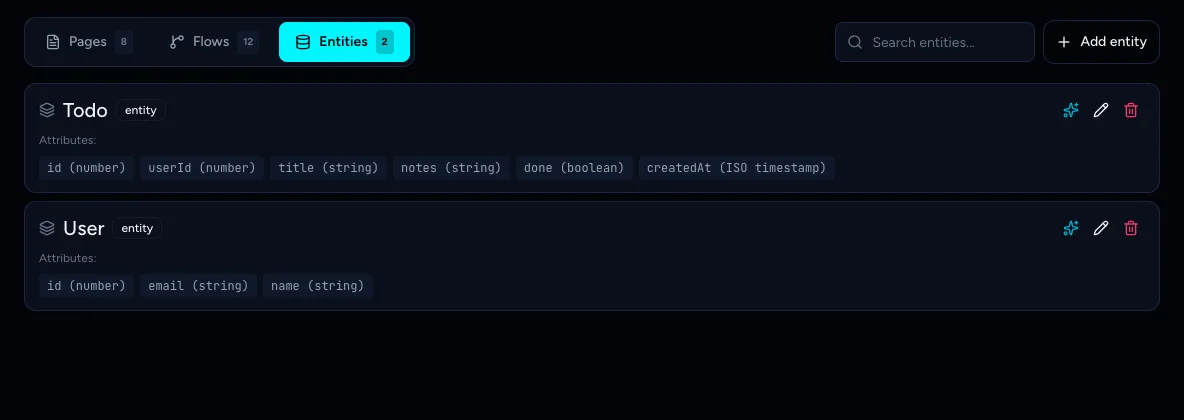
An entity is a business object in your app, for example a Todo or a User. The Entities tab lists each entity with its attributes and their types.
Is it good enough?
Before you generate test cases, check:
- Your key journeys are in Flows: sign up, sign in, the main thing your customers do, checkout or save.
- Your important pages are in Pages.
- The names and outcomes match what your app really does.
- Nothing is wildly duplicated. Two flows with similar names are common. You can delete the weaker one.
If something is wrong or missing, you can fix it by hand or with AI. If the whole result is thin, try again after fixing the cause. See Exploration stopped, timed out or found too little.
Note
Exploration also reports problems it ran into, such as a page that shows a blank screen or accepts empty input. They appear under Issues, not on the Knowledge page.
Related
Keep reading
- Exploration & knowledgeEdit the knowledge base and improve it with AIFix what the agent got wrong or add what it missed. Edit pages, flows and entities by hand, or describe the change and let AI refine one item for you.
- Exploration & knowledgeRe-explore your app after it changesRefresh your TestOptim knowledge base after your app changes: clear the old knowledge, start a new exploration, and decide what happens to test cases.
- Exploration & knowledgeExplore your app to build the knowledge baseStart an AI exploration of your web app in TestOptim, follow its progress live and stop it if needed. The result is your knowledge base.
- Test casesGenerate AI test cases for your web appGenerate a ready-to-run suite of AI test cases from your explored app with one click, and add more later with Regenerate without losing your edits.