Let TestOptim through Cloudflare bot protection
If your site is behind Cloudflare, TestOptim signs its test browser's requests as a verified bot so it isn't challenged. Auto-detected, or set in Settings.
In this article
Cloudflare can block or challenge automated browsers, including TestOptim's. To avoid that, TestOptim can sign every request its test browser makes, so Cloudflare recognizes it as a verified bot. This is controlled by the Protected by Cloudflare setting on each project.
Before you start
You need to be the organization Owner, an Admin or a QA Lead to change this setting.
How it's set up
You usually don't have to do anything. Shortly after you create a project, TestOptim loads your site once in the background. If your site, or an API it calls on the same domain, answers through Cloudflare, TestOptim turns Protected by Cloudflare on for that project.
Note
Detection takes about a minute, and during busy periods it can be skipped. If you start an exploration straight after creating the project, it may begin before detection finishes, and that first run isn't signed. If your site challenges bots, turn the setting on yourself rather than waiting.
Turn it on or off yourself
- Open your project and select Settings in the sidebar.
- Find the Protected by Cloudflare switch. Its description reads "Identify our test browser to Cloudflare as a verified bot so it isn't challenged. Detected automatically if you leave this off."
- Turn the switch on or off.
- Scroll down and select Save changes.
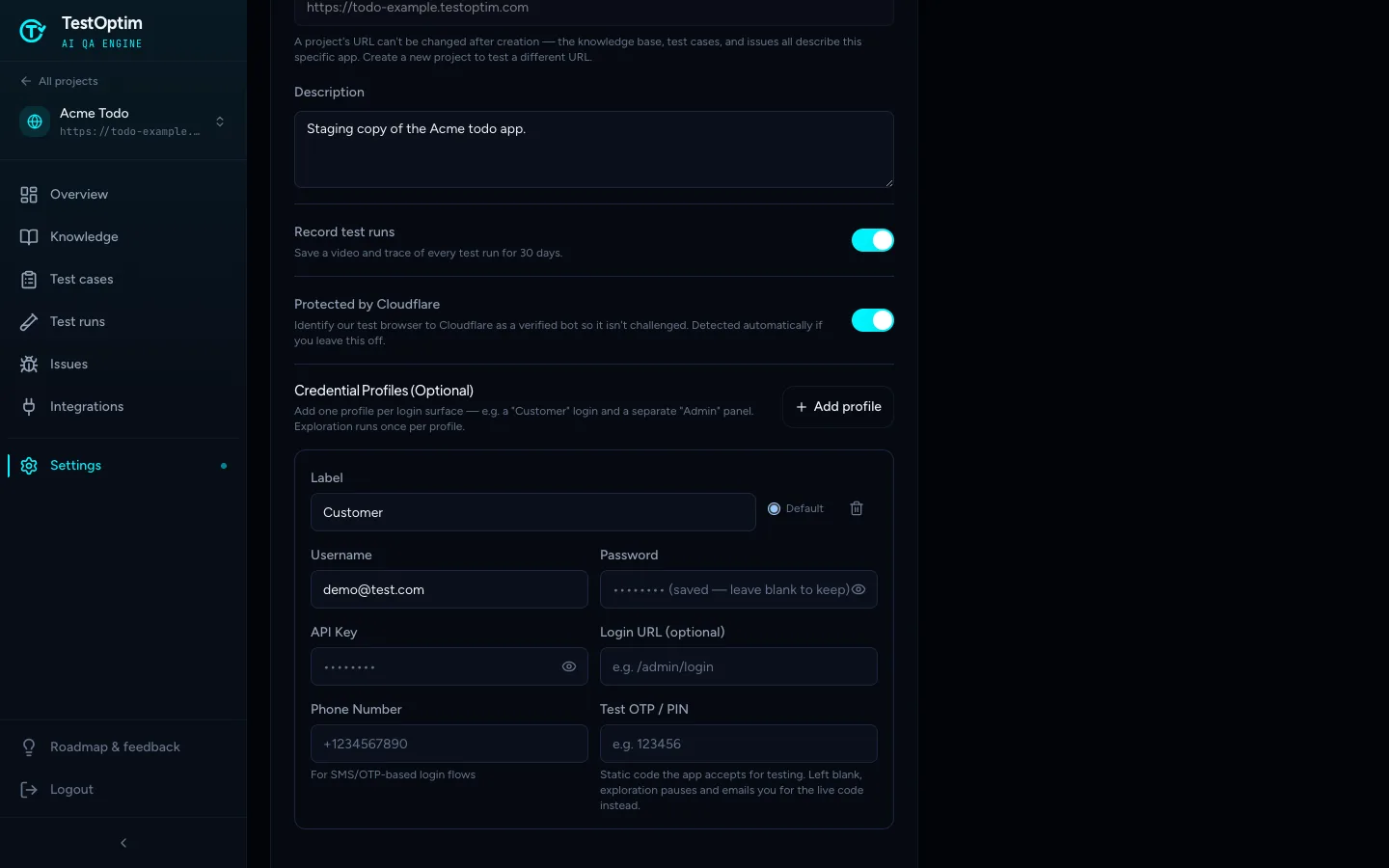
You can also set the switch when you create the project.
Detection only ever turns the setting on. It never turns it off, so if you switch it off for a project that's behind Cloudflare, it stays off until you turn it back on.
Allow TestOptim in your Cloudflare rules
Signing the requests lets Cloudflare tell TestOptim apart from other bots, but your own firewall rules still apply. If TestOptim is still being blocked, add a Cloudflare WAF rule that allows verified bots or signed agents.
Every signed request carries these headers, so you can verify them with Cloudflare's Web Bot Auth support:
Signature-AgentSignature-InputSignature
For the full details, including the public key directory, see the TestOptim Bot page.
Tip
The browser's User-Agent is a standard Chrome string. Don't rely on it alone to allow or block TestOptim. Match the signature instead.
If exploration still can't get in
- Make sure the switch is on and saved.
- Check that no other firewall or rate-limit rule blocks the traffic.
- If you can't allow it, point the project at a staging environment that isn't protected.
See Exploration stopped, timed out or found too little.
Related
Keep reading
- ProjectsCreate your first projectA project is one web app, identified by its URL. Add a name and URL, choose whether to record test runs, and TestOptim takes you to the Knowledge page.
- ProjectsAdd login credentials so TestOptim can sign inGive TestOptim a test account so it can explore and test pages behind your login. Add one credential profile per role and see which one each run uses.
- Account & notificationsManage your profile, password and sessionsSee your account details, reset your password, and understand why signing in on another device signs you out here. TestOptim allows one active session per user.
- Team & rolesRoles and permissions: who can do whatSee what each TestOptim role can do, which screens are Owner-only, and why a button that looks available can still say you don't have permission.